Kitchen display
Every ticket, on the right screen, in the right order
Turn KOTs into a live kitchen board. Orders route by station, age from green to red, and nothing gets lost between the counter and the pass.
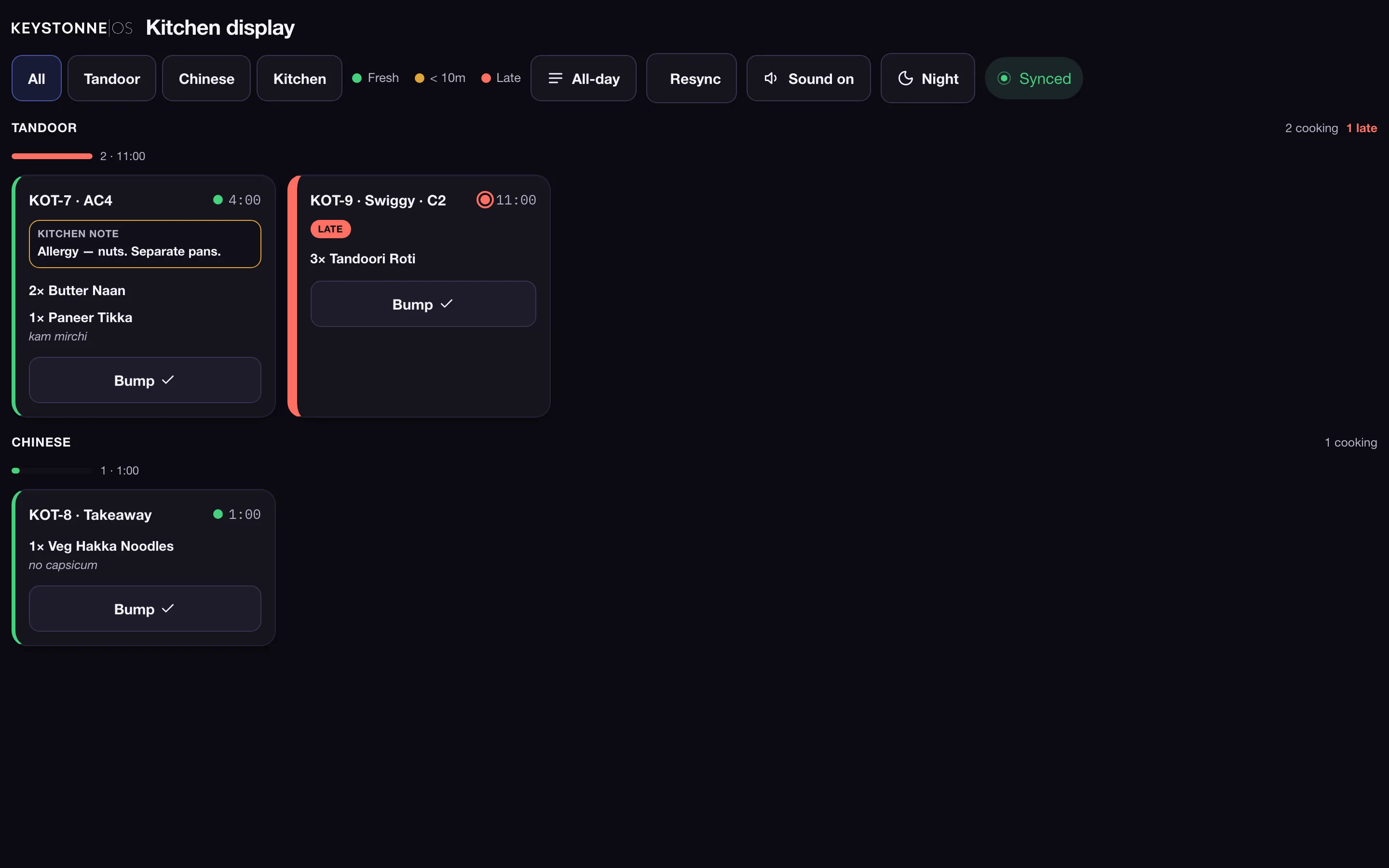
From KOT to kitchen board, traced live
This is the board your kitchen watches: tickets land by station, age from green to red, and bump off the moment the pass clears them.
- Fired to the kitchen instantly
- Aging alarms before a ticket burns
- All-day rollup by station
Routes tickets by station
Routes tickets by station
Tandoor, Chinese, drinks — each station sees only what it needs to make, in the order it landed.
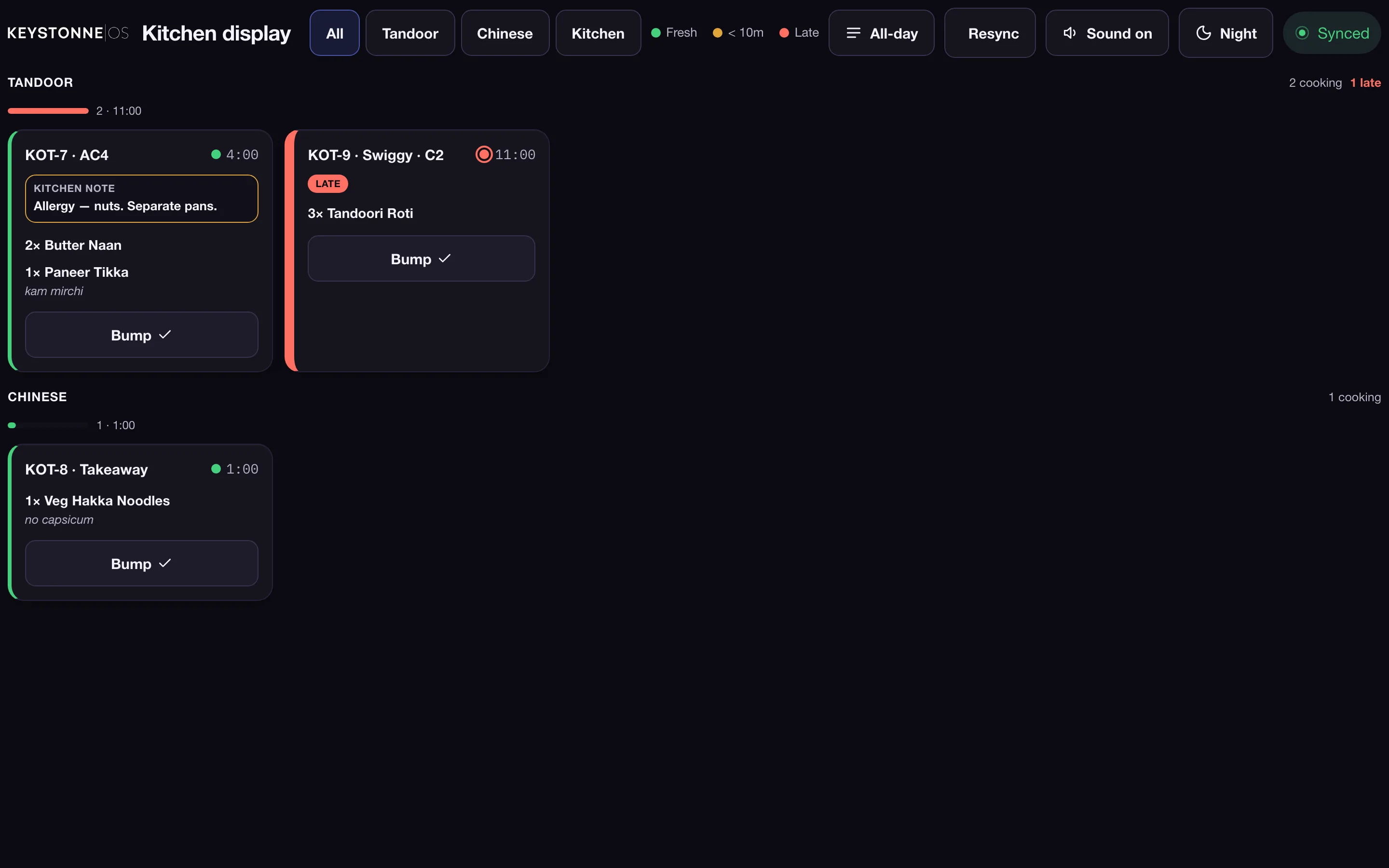
Timers you can read across the kitchen
Tickets age from green to amber to red, so the oldest order is always the loudest thing on the screen.
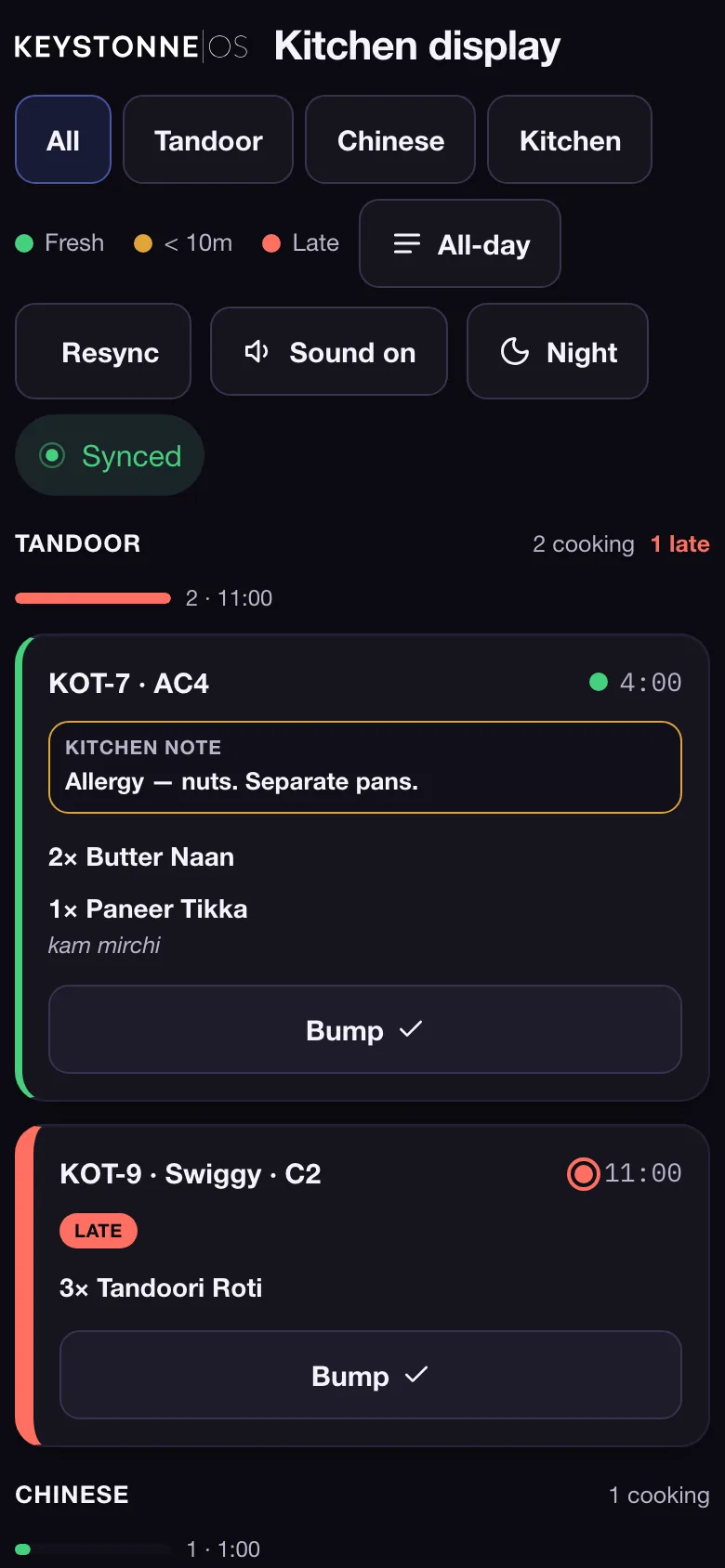
Bump when it's done
Tap to bump an item or a whole ticket. The counter sees the status instantly, so staff stop shouting across the pass.
Built for the rush and the reconnect
Fired tickets survive a dropped connection and a refreshed screen — the board rebuilds itself from the order stream.
Live, not a screenshot
Try the real product, right here
This is Keystonne OS running live in your browser — take an order, fire a ticket, watch it hit the kitchen display. No signup, nothing to install.
Frequently asked
Does the KDS need its own device?
Any spare tablet, a TV with a browser, or an old laptop works. Mount it, open the board, and it's live.
How do tickets reach the kitchen?
Every bill and KOT rung on the POS fires straight to the matching station on the display in real time.
What does it cost?
The kitchen display is free for 6 months, on as many screens as you like.
Products
One OS. Every job in the kitchen.
Put your kitchen on one screen
Fire a ticket from the demo and watch it land. Free for 6 months.